When viewers interact with your videos, their conversations are saved. You can review these conversations to understand what viewers are asking and how the AI is responding.
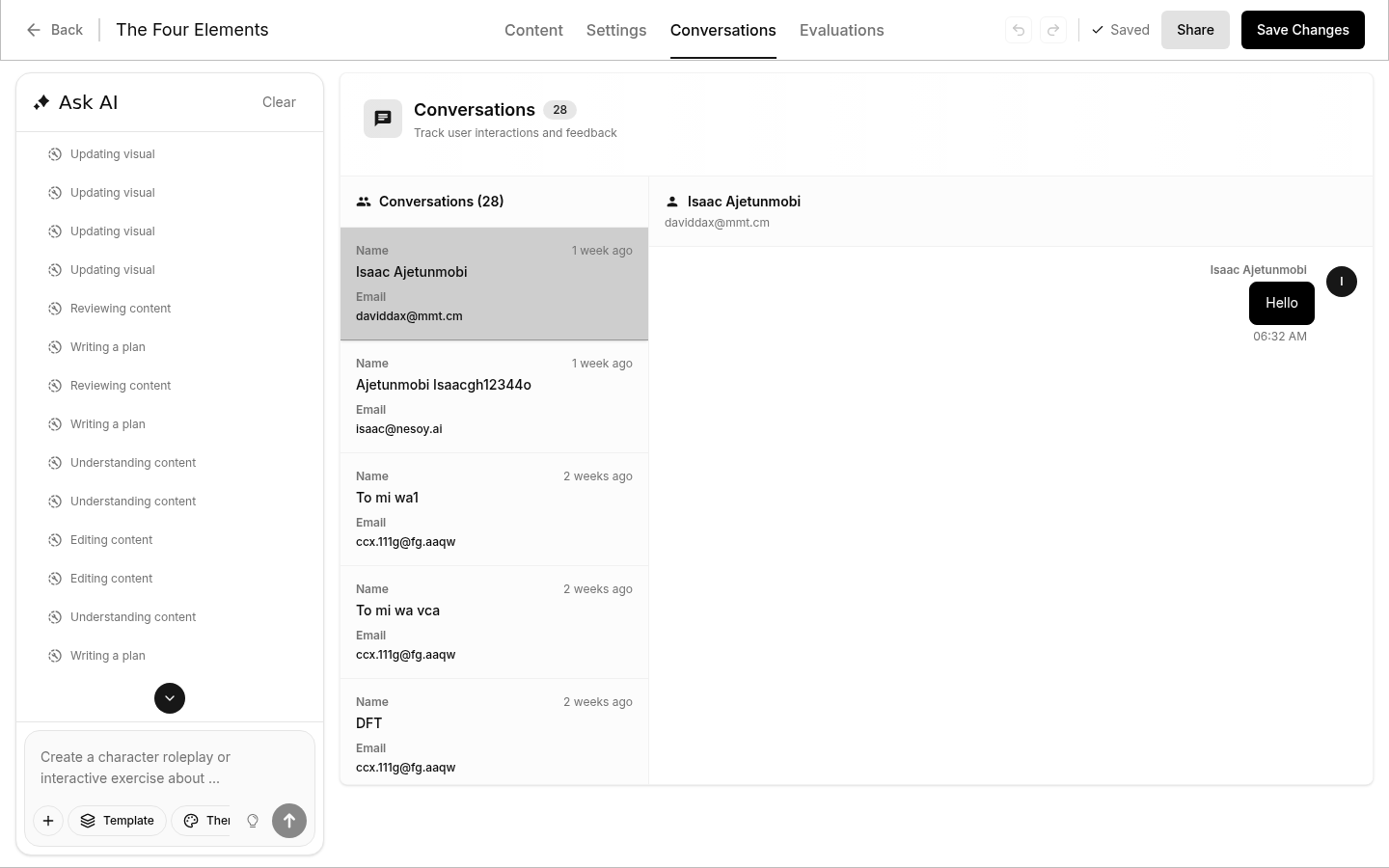
Viewing Conversations for a Single Video
To see conversations for a specific video:
- Open a video to edit
- Click the "Conversations" tab at the top
- Browse through viewer conversations
This shows all conversations that happened within that particular video.
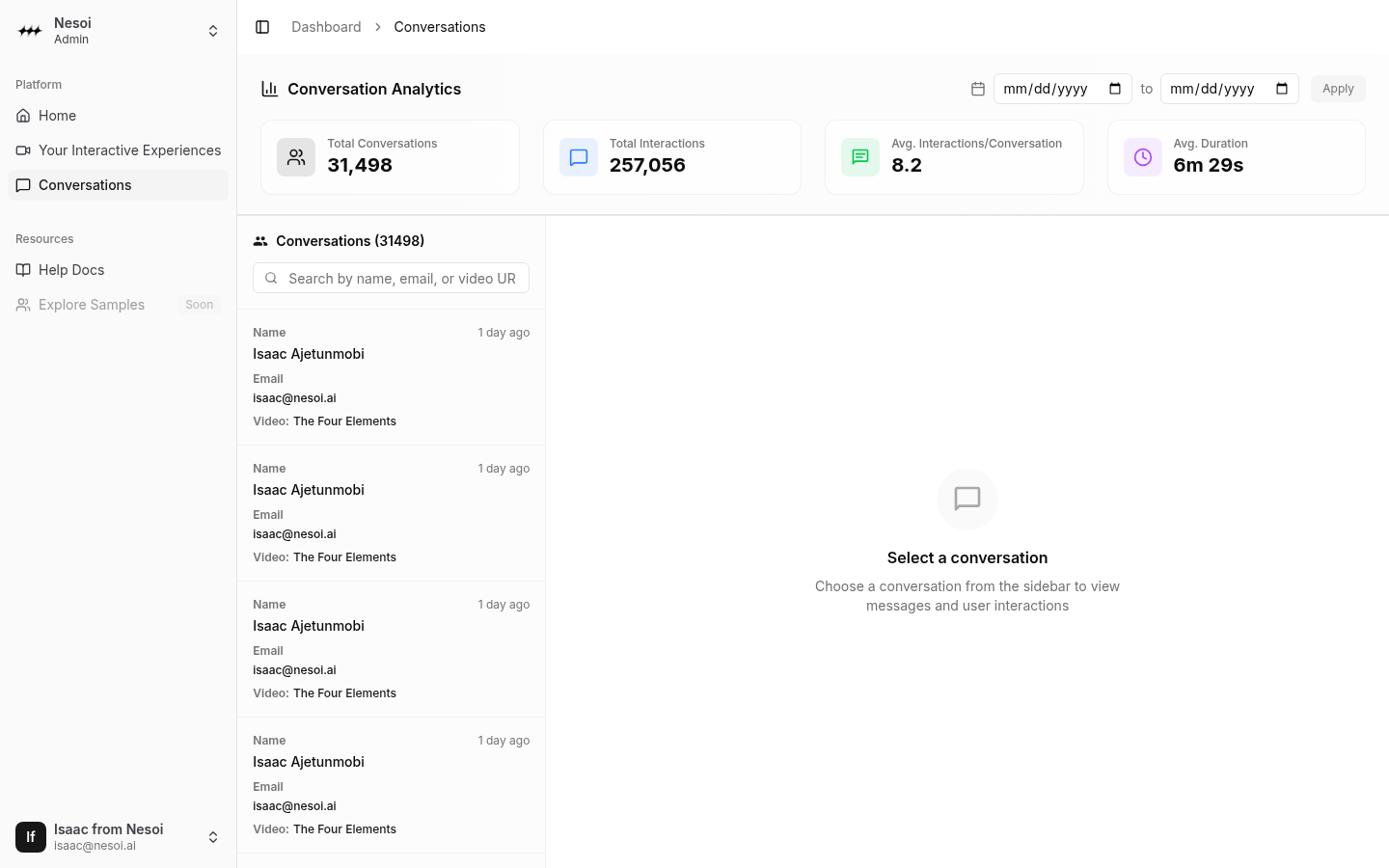
Viewing All Conversations
To see conversations across all your videos:
- Click "AI Conversations" in the sidebar
- Browse conversations from all videos in one place
- Filter by video, date, or search for specific topics
Conversation Details
Each conversation shows:
- Viewer messages — Questions and comments from viewers
- AI responses — How the AI answered
- Timestamp — When the conversation happened
- Video context — Which video and chapter the viewer was on
For a full breakdown including analytics, search, filtering, and feedback tracking, see the Conversations page in Dashboard Management.